

My team and I collaborated with Grace, a school teacher with hearing loss, to co-design a solution to improve the accessibility of her classroom's intercom announcements. Our solution builds on an existing mobile app and utilizes custom sound recognition to automatically activate live captioning on her mobile devices during announcements.
I led the planning of our research activities during the discovery phase and concept tests. I also worked with designers to apply accessibility guidelines to our workshop materials and final prototypes.
Final Deliverables:
OVERVIEW
Timeline
Jan 2022 - Mar 2022
My Role
UX Researcher + Designer
Team Members
Marianna Nam (UX Designer)
Juliana Longoria (UX Designer)
Luka Liu (UX Designer + Researcher)
Tools
Figma, Miro, Zoom, Adobe Photoshop
Research Methods
Co-Design Workshop, Interviews, Affinity Mapping, Usability Testing
Design Framework
Our design process followed the Double Diamond design framework:

DEFINE
Project Context
As part of a graduate course, my team and I were prompted to apply participatory design to develop a solution for a real user with accessible needs. This is when we connected with Grace, who agreed to collaborate with our team to develop a unique design solution for her needs.
In true co-design fashion, we did not start the project with a fixed problem space. Rather, we needed to first learn about Grace's lived experiences with hearing loss to collaboratively identify our project goals. Jump to Project Goals
Stakeholder Kickoff
My team and I conducted an initial kickoff meeting with Grace to introduce the context of our project and get to know each other. Here is what we learned...

Key Quotes:
“[As a teacher with hearing loss], I feel like accessibility accommodations are always made as an afterthought. Even though I have adapted to make things work, the school has lots of areas of improvement for being more accessible."
DISCOVER
User Interviews
My team and I facilitated a semi-structured interview on Zoom with Grace to understand her needs, frustrations and wants.
-
We chose semi-structured interviews because they encourage natural conversation, create a personalized approach, and allow us to gather in-depth insights into her behaviours and attitudes.
-
We choose to use Zoom because the platform has many built-in accessible functionalities.
To ensure that the interview was a comfortable and accessible experience for Grace, I compiled a checklist of accessible practices for facilitating virtual meetings.
I facilitated open-ended interview questions to learn more about her day-to-day activities, hobbies, and technologies she currently uses to support her day-to-day routine. We then identified key frustrations, currents and needs that she wanted to focus on addressing in our project.
KEY FINDINGS
1. The school where Grace teaches has limited resources to support teachers with hearing loss.
2. Grace currently uses the live transcription function on her iPhone during school and in her personal life.
3. Hearing loss runs in her family, including her dad, sisters, grandma, uncle, and cousins.
Grace wants the project to focus on:

Accessible practices I used:
-
Promote a safe space: convey to Grace that this is NOT a formal interview, that she is the expert and we are here to learn from her.
-
Activate on-screen Closed Captioning.
-
Enable the Audio Transcription tab
-
Mute all attendees when not speaking.
-
Encourage one speaker at a time to avoid confusion about who is speaking.
-
Ensure my face is clearly visible when speaking to allow for speech reading.

Description: Screenshot of document for Accesibility Checklist
.png)
Project Goals
Informed by our initial interview findings, we identified our project goal was to engage Grace in co-designing a solution that would help her to effectively and independently access intercom announcements.
Ideation Workshop
Next, we conducted a group ideation session with Grace to explore potential solutions for accessible announcements.
1. We first individually brainstormed ideas for potential solutions on a Miro whiteboard.
2. We anonymously voted on our top picks for potential solutions. The top three most-voted ideas were:


1.

2.
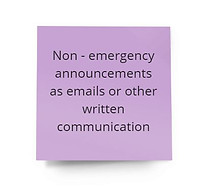
3.
Description: Screenshots of our Miro brainstorming whiteboard
Competitive Analyses
Based on our top three ideas, I conducted a competitive analysis to gain a foundational understanding of related technologies and trends in the current market and identify opportunities for entry for our project.
KEY FINDINGS
Top competitor for mobile apps is Ava.
An area of opportunity is incorporating sound recognition alerts + live captioning.


Latest
Features
on iOS


Existing Accesible
Solutions for Announcements
Description: Screenshots of my document for competitive analyses.
Design Requirements
We triangulated the findings from our user research and competitive analyses to identify 8 design requirements that our solution should have:

DESIGN
Ideation
I worked with my team to triangulate the findings from our interviews and design requirements to inform the development of our top three design ideas + storyboards. I designed the storyboard for Concept 2.
Idea 1 – Adding custom sound recognition to the Ava app
Idea 2 – Digital intercom system with screen and video
Idea 3 – LED colour-coded lights + display
Description: Building upon an existing mobile app called Ava, the idea is to add a sound recognition functionality so that Grace can record and save a custom sound that triggers the app to notify her and immediately start the live captioning on her mobile device and/or smartwatch. Justification: This idea involves live captioning which Grace considers one of her favourite assistive technologies at the moment and addresses the gap with current live captioning solutions that require Grace to activate the feature, which can cause her to miss portions of intercom announcements. Justification: This concept revolves around live captioning, which our participant considers one of her favorite assistive technologies at the moment. One gap with current live captioning solutions is that they require our participant to open the app or activate the feature, which can cause her to miss portions of intercom announcements. This is what we aim to address with the added sound recognition capability.
Description: This idea will replace the school’s current intercom system with one that is digitalized. Grace and the administrative staff would each have a digital display in their rooms. When the admin broadcasts an announcement, Grace sees live captions on her screen with a small video in the corner. It also saves transcriptions of the announcements. Justification: This system would provide live captioning but go a step further by making a video of the speaker accessible so that Grace can use both captions and speech reading. This idea could reduce the need to connect with other communication channels to receive announcements.
Description: This idea adds colour-coded lights and LED displays to the current intercom system. The lights and display would be pre-programmed with emergency situations so that when the admin pushes a button, the corresponding lights and message would display in Grace's classroom. Justification: Emergency announcements through the intercom are a source of anxiety for Grace since she is unable to immediately discern the information that’s being shared. This design concept aims to address this by adding recognizable visual cues for emergencies to the current intercom system.


Drawn by: Connie (me!)


Co-Design Workshop
My team and I collaboratively facilitated a 60-minute co-design workshop with Grace in person at her school. The objective of this workshop was to finalize which design solution Grace was most interested in developing.
Feedback Mapping
We conducted a feedback mapping activity where we presented Grace
with our three design concepts, value propositions, and storyboards.
We then gathered her feedback about each idea through affinity mapping.
-
We decided to do feedback mapping as the main activity as it would
allow Grace to assess the strengths and weaknesses of each of the
design concepts based on her personal experiences.
I led the preparation for this activity including gathering the required
materials and creating our session protocol. When not facilitating, I
supported my team by taking notes and documenting our process.
KEY FINDINGS
Grace most liked Idea 1: Adding custom sound recognition to Ava because:
-
She could easily implement it without needing approval from the school admin which often does not allow her to use assistive tech in class.
-
She is already familiar with mobile transcription functions so this does not require a significant learning curve to use.
-
The solution can be conveniently paired with both her phone and smartwatch so that she can access it from not only her classroom but anywhere within the school grounds.
Design Solution
Based on the findings from our co-design workshop, my team and I fleshed out the details of our solution.
How does it work?
Our solution builds on an existing mobile app called Ava, which provides d/Deaf and hard-of-hearing people with live captioning solutions. We are adding a new custom sound recognition functionality to the app.
How does this address our design goals?
Grace would be able to record and save custom sounds (e.g. the beep before the intercom announcement) that prompt the app to immediately start live captioning the announcement on her iPhone and Apple Watch. The mobile interface can be paired with Grace's Apple Watch to display captioning.

Prototype
I worked closely with our designers to develop prototypes that align with our research findings and satisfy mobile accessibility standards based on W3 Mobile Accessibility Guidelines.
Key Accessibility Considerations:
1.4.6 Contrast (Enhanced) (Level AAA): requires a contrast of at least 7:1
3.2.3 Consistent Navigation (Level AA): consistent headings, search form and navigation bar.
3.2 Touch Target Size and Spacing: Ensuring that touch targets are at least 9 mm high by 9 mm wide.
I also analyzed the design patterns on audio-recording and transcription apps that Grace has previously used to ensure that our product interface was consistent with user expectations and straightforward to navigate.
Due to project time constraints, we only built mid-fidelity prototypes for the two key functionalities:
Functionality 1: Add new custom sound recognition
Grace can record and save the custom sound of the beep before the intercom announcement that prompts the app to automatically start captioning the announcement on her iPhone and Apple Watch.
Functionality 2. View live captions and save the transcript
Activate live captioning during the intercom and afterwards, Grace can save the transcript of the announcements through the app to access at any time.
Description: Photo of feedback mapping


Usability Testing
To collect final participant feedback and impact metrics, we moderated a 15-minute remote usability test where Grace used a "think aloud" process while completing two scenario-based tasks. We also assess the user's rating of ease of use, helpfulness, and likelihood to use in the classroom.
Task 1: Set up the app to recognize her school’s intercom sound that would automatically trigger live captioning.
KEY FINDINGS
Immediately loves that she can see her options laid out on the home page
Likes that the interface is similar to other apps that she has used before
Slightly confused about how to navigate to transcripts, take two tries to find it in another tab
Rating of Ease of use: Very easy (5/5)
Rating of Helpfulness: Very helpful (5/5)
Rating of Likelihood to use: Very helpful (5/5)
Task 2: Respond to the live caption notification, first on the mobile device screen and then on her smartwatch screen.
KEY FINDINGS
Love that the font is big and bold; a white background with black text, not distracting and is easy to read
Likes that information is consistent across phone and watch
Confused about where the transcript is saved on the watch, if at all
Rating of Ease of use: Very easy (5/5)
Rating of Helpfulness: Very helpful (5/5)
Rating of Likelihood to use: Very helpful (4.5/5)
DELIVER
Final Prototype
We synthesized the findings from our usability tests to inform design changes to our final prototypes, including high-fidelity interactive prototypes for our two key functionalities:
1. Add a new Custom Alerts Sound
1.1 A user profile screen with the “Custom Alerts” listed as a function;
1.2 A custom alert recording screen with instructions on how to record the first custom alert;
1.3 A user records a new custom alert and changes the name of the file.
2. Custom Alerts Sound Activated and Saved
2.1 A screen with live transcription of the announcements with an option to end live transcription;
2.2 A confirmation screen of whether the user wants the live transcript saved;
2.3 A library of saved transcripts is listed in the order of when they were last generated.


User Impact
At the culmination of this project, my team and I presented our solution at our course design showcase to Grace and her family along with 60+ instructors and peers.
While we did not have time to collect more user impact data, we received lots of positive feedback from Grace and other potential users such as her fellow family members:
-
Grace's father who experiences severe hearing loss indicated that he would greatly benefit from the solution to help him communicate in his everyday workplace, at restaurants, and in other public settings.
-
Grace's normal-hearing grandfather indicated that he would benefit from the use of transcription with custom sound recognition to improve the ease of communication with his hard-of-hearing family members and the “save transcription recordings” functionality to help him recall important information from prior events.
_HEIC.png)
_HEIC.png)
Description: Photos of a team member discussing our
design process to a peer.
Description: Photos of our team at the design showcase.
REFLECT
Strengths of Our Solution
Overall, our solution effectively addresses Grace's pain points with the current school intercom system and is consistent with our design requirements:
-
The sound recognition functionality allows Grace to stay informed during announcements and be able to respond to an emergency in a timely manner.
-
The solution is portable and can accompany our participant wherever she goes.
-
The solution leverages Grace's existing technology including her iPhone and Apple Watch.
-
The solution is cost-effective as there is no need to purchase additional equipment.
-
Moreover, Grace and her family members validated our design as a realistic and practical solution that could be used in their everyday lives.
Limitations of Our Solution
-
Its reliance on modern technology including phones and smartwatches may cause disparities in accessibility for users who are not technologically inclined or experience economic constraints. This exclusion was brought to our attention when Grace’s father, who is unfamiliar with using an Apple Watch, indicated that he would prefer to use the Ava app on his personal iPad.
-
When designing our solution, we did not consider inclusivity for users with a range of visual or sensory needs such as colour-blindness or hypersensitivity to brightness. To reduce this exclusion, I plan to integrate in-app custom layout functionalities (i.e., changing font colours or size, changing background colours) that allow users to build an interface layout best suited for their individual needs.
If we had more time...
-
I would conduct a longer usability interview to collect more in-depth participant feedback on our prototypes, including more scenario-based tasks and self-report metrics (system usability scale) and further iterate on improving Grace's user experience with our design solution.